Home Assistant Green and the Atomberg Fans
Three fans onto Home Assistant in under five minutes, using a community plugin from HACS. The setup was the easy part. The decision it makes you take first, Atomberg's cloud or an IR blaster, is the one worth thinking about.
I set up a Home Assistant Green and put three Atomberg fans on it: one Aris and two Studio+. The whole thing took under five minutes: paste the API key, and all three connected instantly.
The homework behind that was thinner than it sounds. With Aqara I worked out exactly what it needed to talk to before I bought anything. Here I just knew Atomberg had a HACS plugin and assumed any cloud-connected model would work with it. I didn’t check per model. The plugin only names three fans as actually tested, and the Aris was one of them. Both Studio+ units weren’t on that list at all, and I didn’t notice until after they were already working.
There’s no official Atomberg integration in Home Assistant as far as I can find, but there’s a community one in HACS, and this time it worked on an assumption rather than a check. What’s worth writing down is the choice it puts in front of you before it will do anything, because one of the two options costs you the thing the rest of the house was built to avoid.
What it runs on
The Home Assistant Green is the official box. It ships with Home Assistant OS already on it, so there’s no image to flash and no card to burn. Plug in power and Ethernet and it’s running.
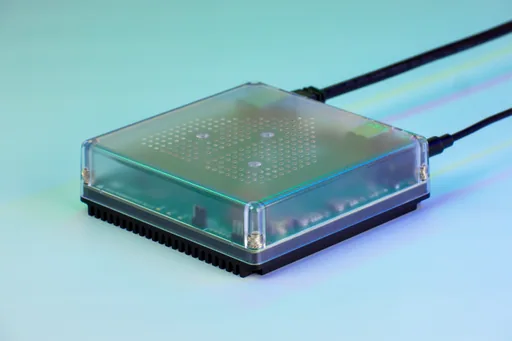
The fans themselves talk to Atomberg’s cloud, or to an IR blaster, which is where this gets interesting.
Why it needs HACS
Atomberg isn’t among the integrations that ship with Home Assistant, so the plugin lives outside it. HACS is the community store for exactly that. It isn’t installed on Home Assistant OS by default, so the first job is adding it: install the HACS app, follow what it prints in its log, restart, then link it to a GitHub account. That’s HACS authenticating itself. Atomberg’s plugin never sees it.
That’s a small amount of setup, but it’s worth being clear about what you’re agreeing to. Anything installed through HACS is code from an individual, not something the Home Assistant project has reviewed.
Setting up the fans
Three steps, and the first one happens outside Home Assistant.
- Get credentials from Atomberg. The developer portal at developer.atomberg-iot.com gives you an
api_keyand arefresh_token. - Install the integration. In HACS, search for “Atomberg”, install it, restart Home Assistant.
- Add it. Settings, add integration, search “Atomberg”, pick your control method, paste the credentials.
That’s the five minutes. The key worked first time and all three fans appeared, each with its own entity page: on/off, LED, sleep mode, a timer, and an activity log of every command sent to it.
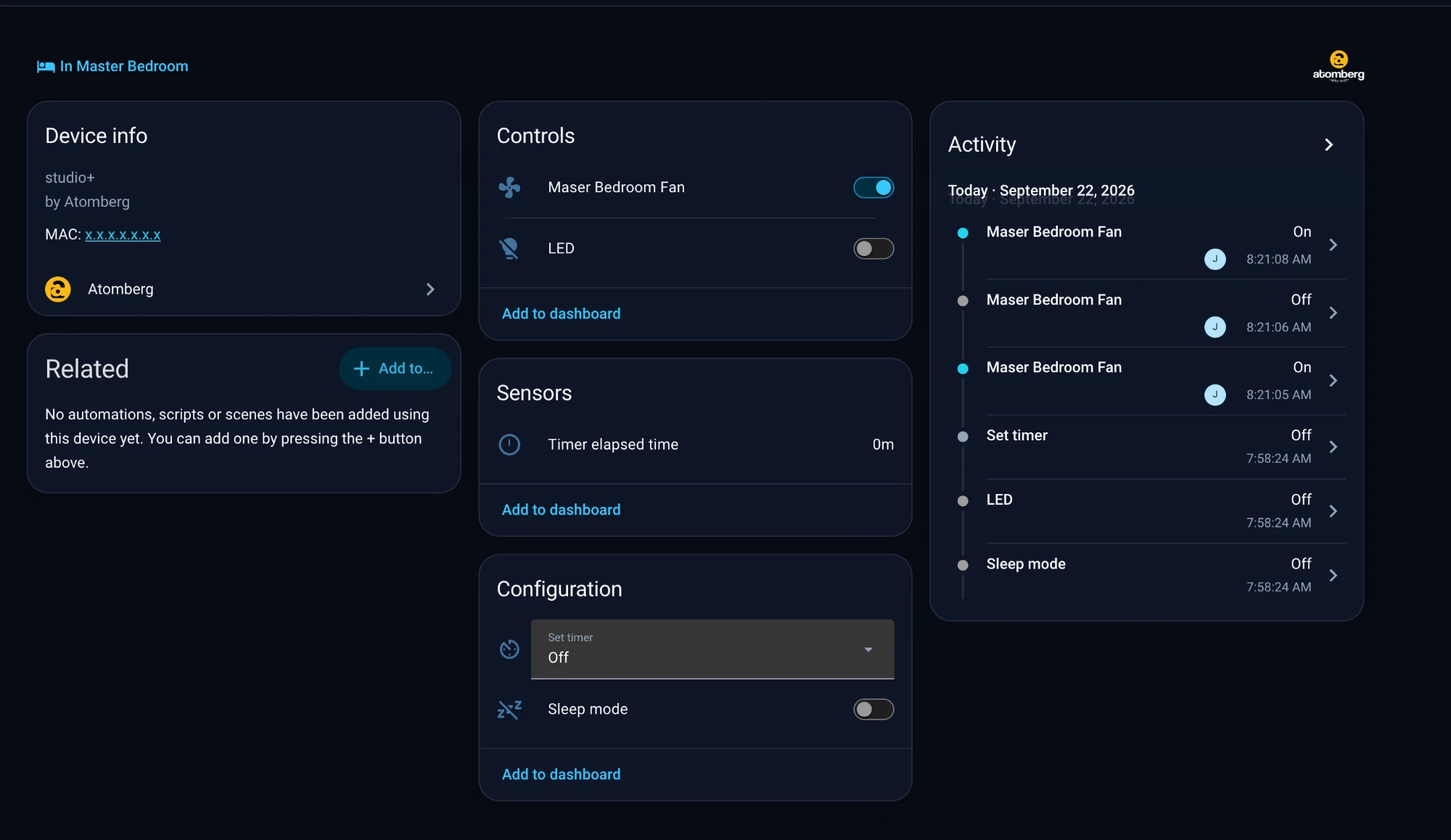
The developer documentation lists the ways it fails, and none of them came up for me, but they’re the first place to look if yours doesn’t connect: 401 for an expired token, 403 if developer mode isn’t on, 404 for a device that isn’t yours, 429 if you’re rate limited.
Two things in the README are worth checking before you buy anything, more carefully than I did. The plugin is built for Atomberg’s latest series and warns that older fans may not work. It names three tested models: Renesa+, Aris and Erica. Only my Aris is actually one of them; the two Studio+ units aren’t listed at all. And it uses UDP port 5625 to update fan state locally, so that port needs to be free and not blocked by a firewall.
Cloud or IR
This is the decision I didn’t expect. The plugin supports two ways of controlling a fan, and you pick one during setup.
Cloud mode asks Atomberg’s servers to change the fan and reads the state back, so Home Assistant knows what the fan is doing. IR mode skips the cloud entirely and sends the fan’s own remote codes from an emitter, but it can only transmit. Home Assistant guesses the state, and if someone uses the handset it won’t know until you resync it.
I went with cloud. No extra hardware, no line of sight to worry about, and the fan’s state in Home Assistant is the fan’s real state rather than a guess.
In the Aqara note I put the headline at zero cloud dependencies, then had to admit a few Wi-Fi devices lean on their makers’ servers. The fans now join that list. Every automation below is decided on my hardware, but the instruction to actually spin the blades goes out to Atomberg and comes back. Internet down, fans deaf.
The community thread on this plugin makes the same point from the other side. People asked for local control, and as of March 2025 it hadn’t been added, so the plugin didn’t work without the internet. IR is the nearest thing to an answer, and it’s a real one: it costs line of sight and gives up knowing what the fan is actually doing.
It isn’t hypothetical for me either. The M3 has an IR blaster in it, so the hardware for the living room is already sitting there, though I’d still need to check whether it exposes a transmitter entity this plugin can drive. Even then, that’s one room out of three.
The fans still came with a remote, though. If Atomberg’s servers go down, the failure mode isn’t a dead fan. It’s walking over and pressing the button.
What I automated
Three kinds of trigger are running:
- Time. The straightforward ones. Fans on and off at the hours they’re always wanted.
- Room presence. The fan follows whether anyone is in the room, rather than whether someone remembered the switch.
- The lights. The fan rides along with the lights coming on, which turns out to cover most of the cases the first two miss.
That third one is the one I’d recommend to anyone starting. The light triggers were already tuned. Hanging the fans off them meant inheriting that work instead of rebuilding the same logic a second time.
The part that isn’t clean
It’s a community plugin from one maintainer. That isn’t a criticism, it’s the reason any of this is possible, but it has a cost. In January 2025 a Home Assistant update changed how fan entities declare their features, and the plugin’s on and off stopped working until a fix shipped. People in the thread had run it happily for months before that, which is roughly the pattern to expect: fine, then broken by a core update, then fixed.
The practical answer is to update Home Assistant deliberately rather than automatically, and to read the plugin’s open issues before doing it.
Worth doing?
Yes. Putting the fans behind the same presence and light triggers as everything else removes a decision rather than adding a feature, which is the only test I trust.
I’d still rather write the asterisk down than let the “fully local” story get one size too big. If Atomberg’s servers go down or my key stops working, three fans stop listening. IR is the way to fix that, and realistically it’s on the table for the living room only.
What I’d tell myself before starting
- Get the credentials first. Everything else stalls without the
api_keyandrefresh_token, and they come from a portal you have to sign up to. - Check compatibility before you buy, unlike I did. The plugin names three tested models. Only one of my three fans was actually on that list; the other two worked anyway, which was luck rather than planning.
- Choose cloud or IR on purpose. Cloud gives you accurate state and no extra hardware. IR gives you independence from the internet. You don’t get both.
- Treat the refresh token like a password. It controls your account’s devices, so keep it out of screenshots and backups you share.
- Hang new devices off triggers that already work. The fans inherited the light triggers instead of needing their own.
- Update Home Assistant on your own schedule. The plugin can break when core changes.
Where that leaves the fans
They’re on the same system as everything else now, running on the same triggers, and that’s most of what I wanted from this.
What’s still open is whether saving myself an IR blaster is worth leaving three fans dependent on somebody else’s servers.